Skip to content

December Special — limited-time launch offer Claim the offer

Run Your Entire Restaurant from One Smart POS

POS, kitchen display, floor and tables, inventory, staff, billing and reports. One system for the whole restaurant, built for Bangladesh and ready for anywhere.
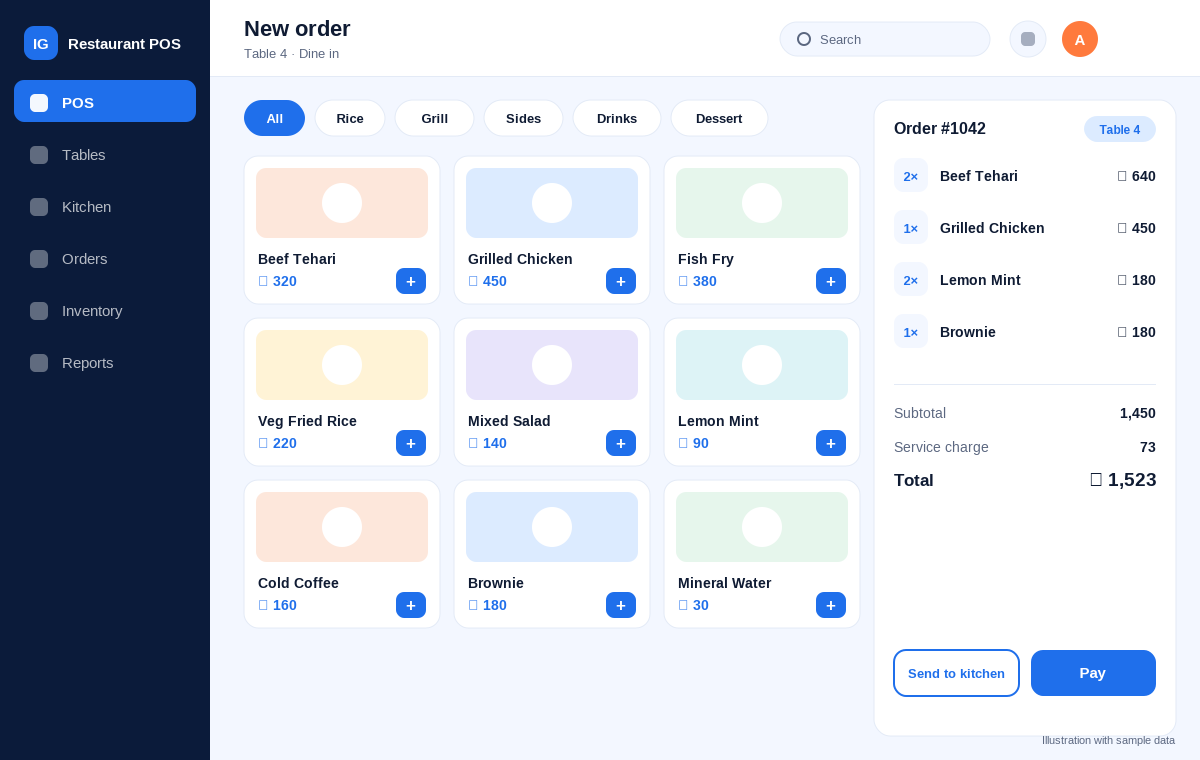
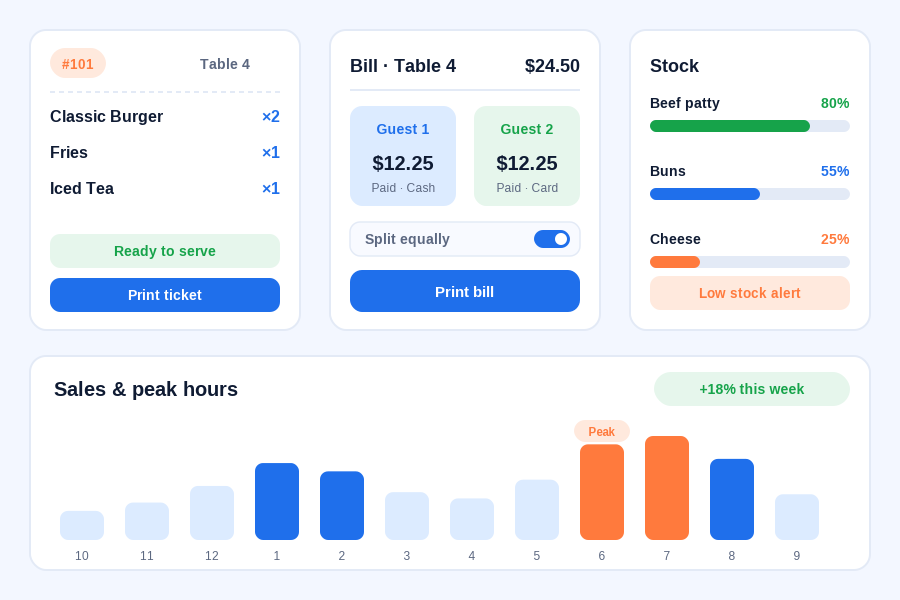
Illustration of the point-of-sale screen
Live dashboardSales, tables and kitchen load in real time
Kitchen displayOne ticket per kitchen
How it works

Up and running in three steps

From building your floor and menu to a service that runs itself, in three steps.
  1. 1

    Set up your floor & menu

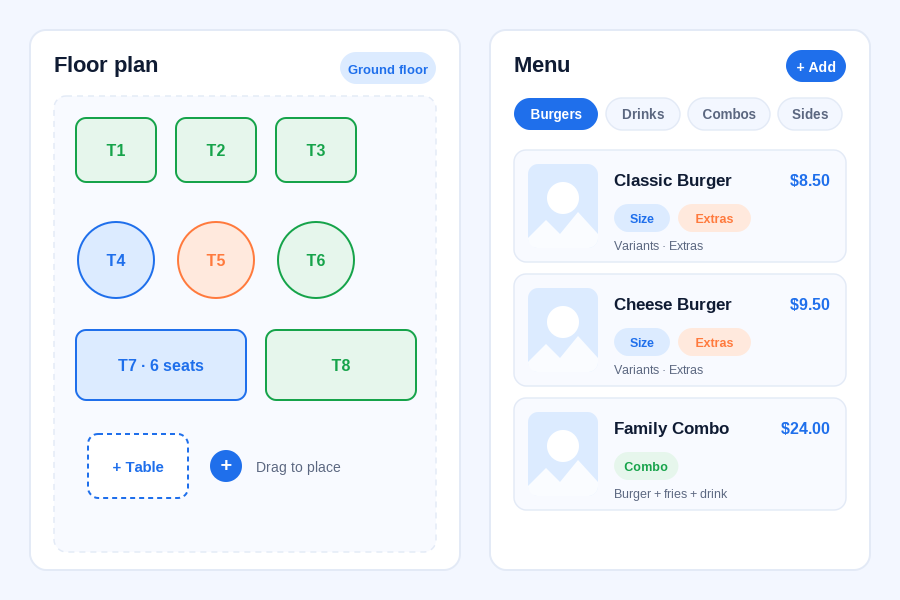
    Draw your floors and tables, then add categories, variants, extras and combos.

    Illustration of building a floor plan and menu
  2. 2

    Take orders on POS, QR or the waiter app

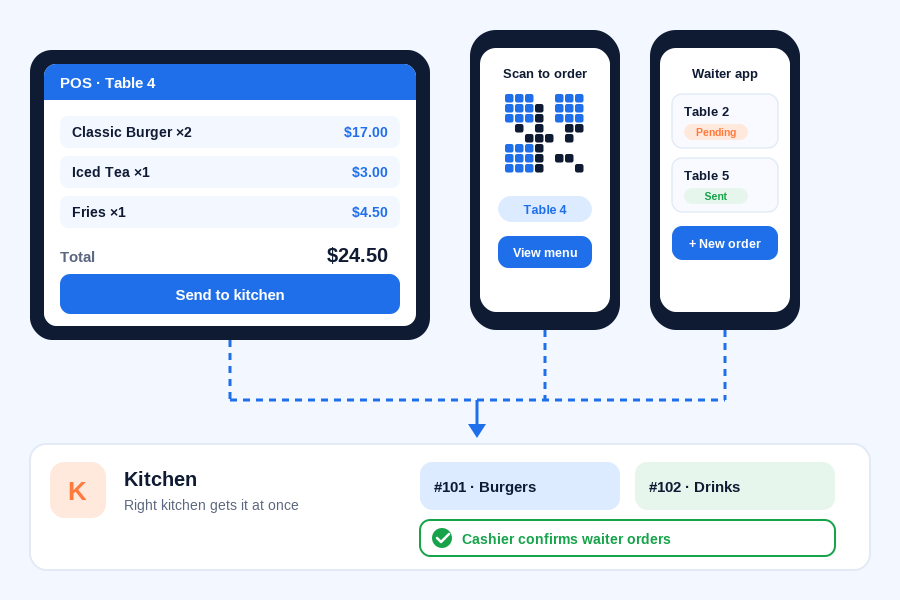
    Orders reach the right kitchen at once, and the cashier confirms waiter orders.

    Illustration of orders from POS, QR menu and waiter app reaching the kitchen
  3. 3

    Kitchen, billing and reports run automatically

    Tickets print, bills split and stock updates, with sales and peak hours in your reports.

    Illustration of kitchen tickets, split bills and sales reports
Features

Everything your restaurant needs, in one place

From the floor to the kitchen to the cash counter.
Floor

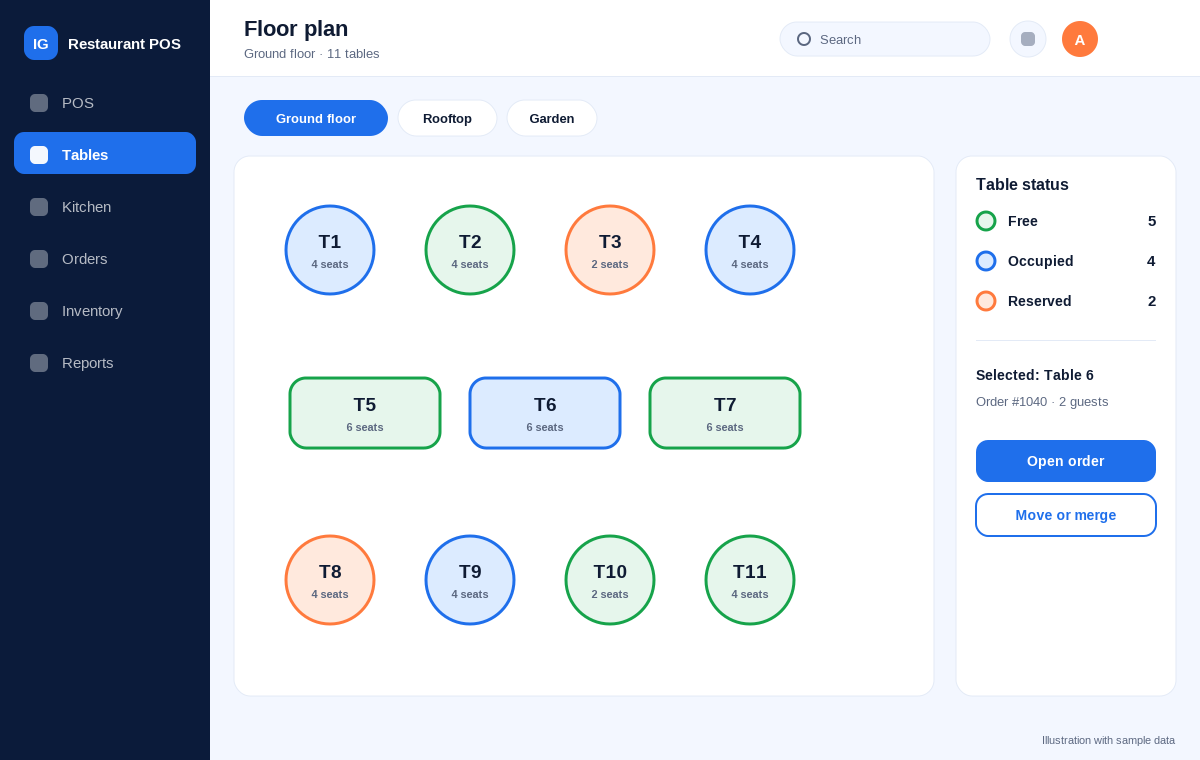
Floor plan and table management

Draw your floors and tables once, then see every table's status at a glance.

  • Multiple floors and sections
  • Merge and split tables
  • Live table status
Illustration of the floor plan and table status
Kitchen

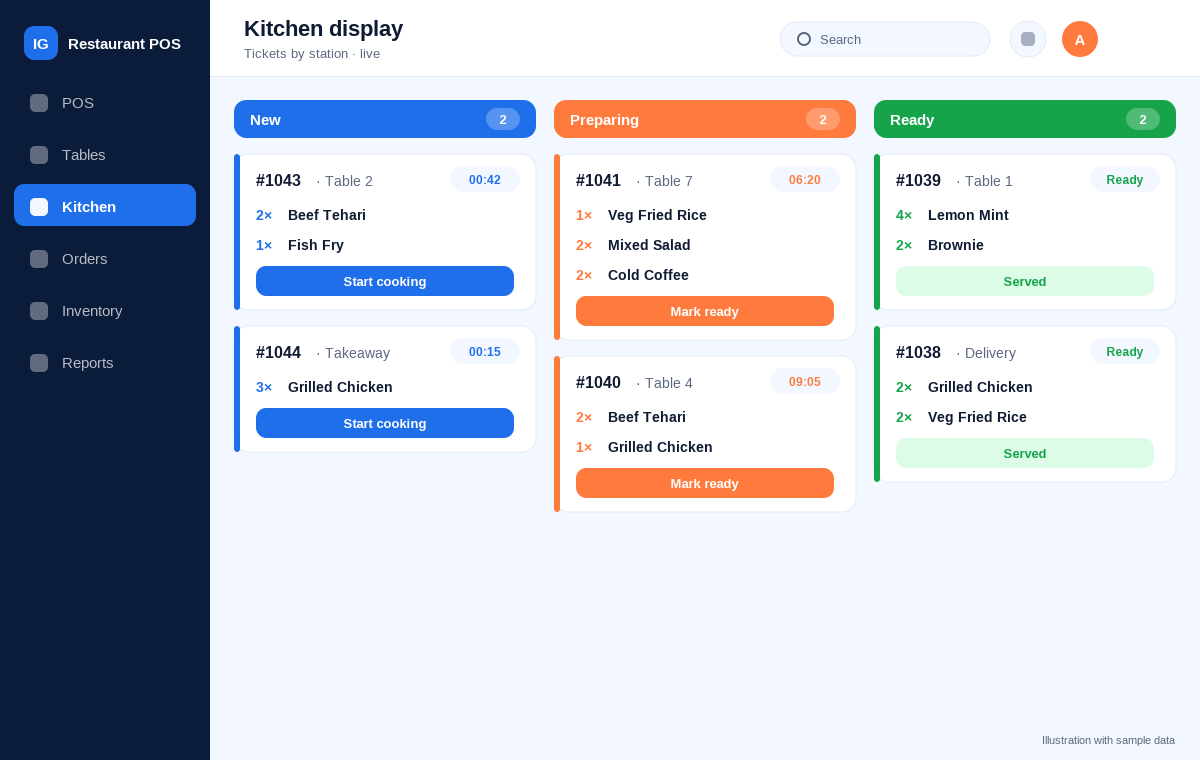
Orders reach the right kitchen at once

Tickets are routed to the correct station the moment an order is confirmed.

  • Kitchen display and printed tickets
  • Waiter orders confirmed by the cashier
  • Fewer mistakes, faster service
Illustration of the kitchen display
Reports

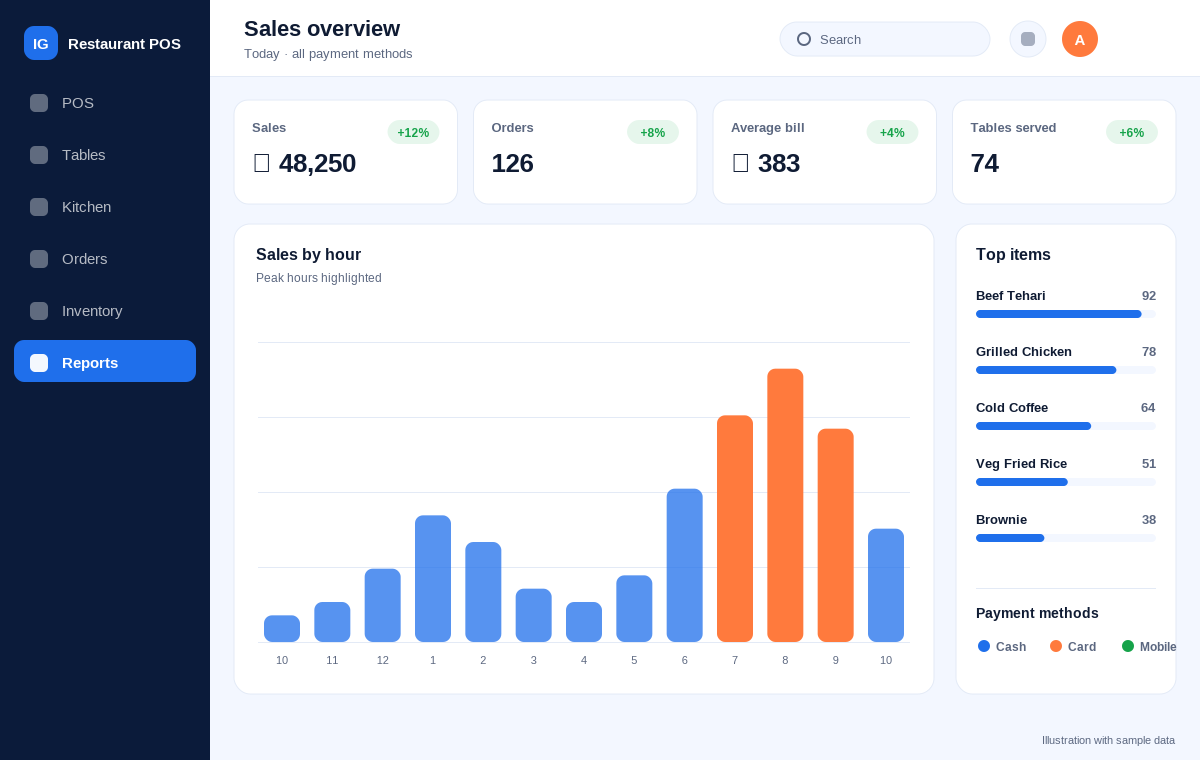
Reports that show what sells and when

Sales, peak hours and stock in one place, so tomorrow's plan starts from facts.

  • Daily and monthly sales
  • Peak-hour insights
  • Stock updates with every order
Illustration of the sales report
Use cases

Built for the way you serve

Pick your kind of restaurant and see how it fits.

Fast counters, short queues

Take orders in seconds and keep the line moving at the counter.

  • Quick billing screen
  • Kitchen tickets as orders come in
  • Daily sales at a glance
Illustration of the point-of-sale screen
Compare

IG Restaurant POS vs manual billing

See what changes when the paper pad and the calculator go away.
IG Restaurant POS compared with manual billing
What you needRecommendedIG Restaurant POSManual billing
Orders reach the kitchen instantlyYesNoWalk or shout
Split and merge billsYesPartlyBy hand
Table status at a glanceYesNo
Stock updates with every orderYesNo
Sales and peak-hour reportsYesPartlyEnd of day, if at all
Pricing

Simple pricing that grows with you

Pick a plan today and change it any time.

Starter

For a single counter or a small cafe.

৳৯৯৯/month$9/month৳৯,৯৯০/year$90/year
  • Dashboard overview (included)
  • POS screen and order taking (included)
  • Floor builder and tables (included)
  • Menu categories and items (included)
  • Kitchen display screen (included)
  • Billing, receipts and printing (included)
  • Cash, card and manual payments (included)
  • QR menu and table ordering (included)
  • Staff accounts and roles (included)
  • Starter sales reports (included)
  • Inventory and purchase orders (not included)
  • Multiple locations (not included)
Get started

Custom

For chains and teams that need payroll, payment gateways and integrations.

CustomCustomCustomCustom
  • Everything in Growth (included)
  • Multiple restaurant locations (branch switcher) (included)
  • Staff payroll (included)
  • Production and kitchen prep planning (included)
  • Payables and supplier dues (included)
  • Online payment gateways (EPS, SSLCommerz) (included)
  • WooCommerce sync (included)
  • SMS, WhatsApp and push notifications (included)
  • Device management (included)
Talk to us

Sample prices for the demo page. Replace them with your real plans before launch.

Ready to run a smoother restaurant?

See IG Restaurant POS working for your kind of restaurant. Book a free demo today.
FAQ

Questions restaurant owners ask us

Cannot find your answer? Message us and we will help.

Yes. Take orders from the POS screen, a QR code on the table, or the waiter app on a phone.

Trusted by growing restaurants & cafés

Free demo

See it working in your restaurant

Leave your number and we will call you to book a short demo.

We only use your details to arrange the demo.

Chat on WhatsApp (opens in a new tab)